THE TOOLS BEHIND A SMOOTHER SERVICE
Everything connects.
Everyone benefits.
From the menu your customers see to the details your team manages, bring your daily essentials into one workflow.
A TASTE OF YOUR MENULet your food
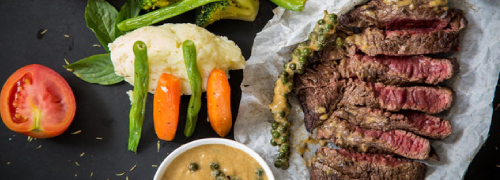
Let your food
do the talking.
Illustrative menu
01 / DIGITAL MENUA menu that keeps
A menu that keeps
up with your kitchen.
Present your food in a digital menu that customers can browse on their phones.
- Organise dishes into menu categories.
- Maintain item descriptions, images, and prices.
- Manage options and item availability.
- Share the menu through QR codes and links.
- 01 Choose a dish
- 02 Review the order
- 03 Send it to the team
02 / ORDERING AND PAYMENTSMake the next step
Make the next step
an easy one.
Give customers a direct path from browsing your menu to placing an order and following the available payment steps.
- Web ordering through the customer's browser.
- Dine-in, pickup, and delivery options where enabled.
- Payment options based on your outlet's configuration.
- Order information for your team to manage.
Payment methods and service availability depend on merchant setup. Talk to us about the options for your business.
MERCHANT WORKSPACE
Keep the day in view.
Menus & availabilityManage
Orders & transactionsReview
Sales reportsExplore
Outlets & staffOrganise
Illustration of merchant tools03 / MERCHANT TOOLSLess searching.
Less searching.
A clearer picture.
Keep your business information organised through the merchant portal and its operational tools.
- Review transaction history and sales reports.
- Manage menus and outlet settings.
- Configure staff access and roles.
- Maintain promotions and service settings.